 Nick
Nick
A BGMI name style is your Battlegrounds Mobile India (BGMI) nickname rewritten in Unicode look-alike letters and decorations, such as ꧁Viper꧂ or ᴠⁱᵖᵉʳ, which you copy and paste into the game’s name field. Type any word into the generator above for live styles, or tap one of the 190+ ready-made BGMI names below to copy it.
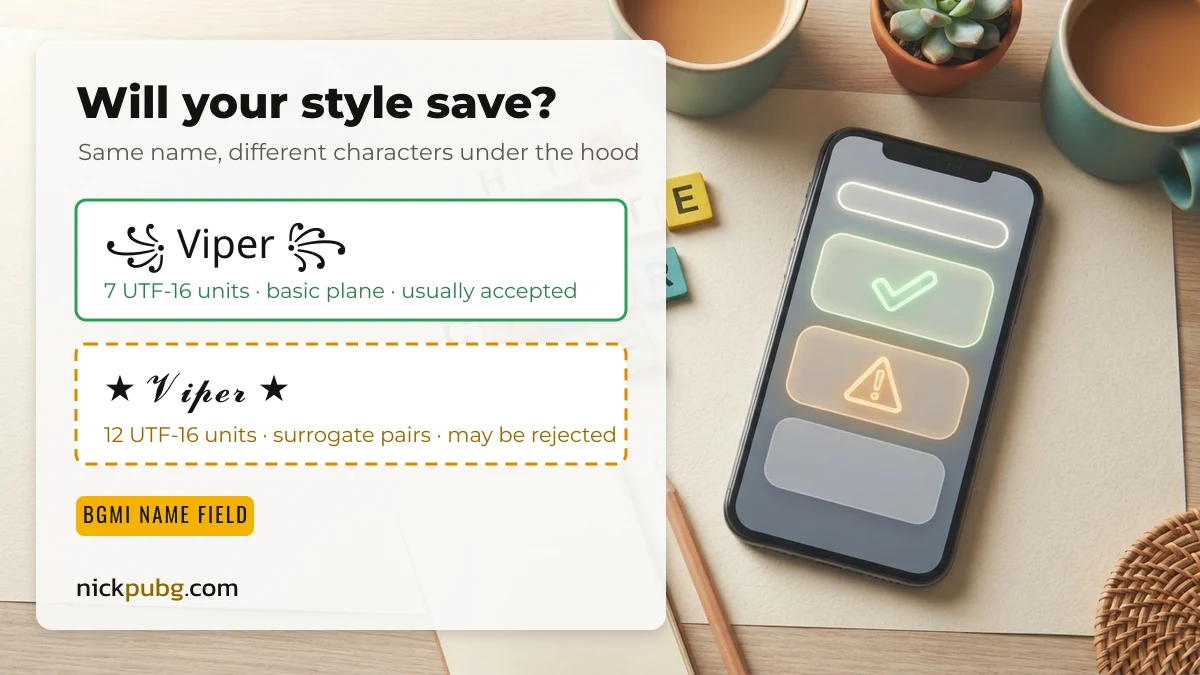
Dashed border = may be rejected by the in-game name field (emoji or rare Unicode). Solid border = basic characters that name fields usually accept.
BGMI name styles to copy and paste
These 70 BGMI name styles are built from squad-talk words such as Clutch, Rusher, Zone Runner and Last Circle. Each uses a different font family and frame. Tap once to copy, then paste it into your profile.
Make a BGMI name style from your own word
The BGMI name generator at the top of this page styles whatever you type, so two players who enter different words never get the same list. It takes about ten seconds:
- Type your word: your real name, gamer tag or clan word. Short words (4 to 8 letters) leave room for a symbol.
- Pick a frame in step 3, for example ꧁ ꧂, ★, ༒ or 亗. It is added to both sides of every style.
- Filter by style group (Stylish, Cool, Unique, Simple, Pro) and tap the copy icon on the one you like.
The style groups are not just visual. They use different kinds of Unicode characters, and that decides whether BGMI’s name box is likely to keep them:
| Style group | Example with “Viper” | What the characters are | Field-friendly? |
|---|---|---|---|
| Unique (Japan, Hook, Icon) | ☬V丨卩乇尺☬ | Look-alike letters from other scripts, all in the Basic Multilingual Plane | Usually yes |
| Simple (Small text, Circle, Wide) | ᴠⁱᵖᵉʳ · Ⓥⓘⓟⓔⓡ | Superscripts, circled and full-width letters, one UTF-16 unit each | Usually yes |
| Stylish (Bold, Italic, Script) | 𝓥𝓲𝓹𝓮𝓻 | Mathematical Alphanumeric letters, two UTF-16 units each (surrogate pairs) | Often rejected or cut |
| Cool (Star, Cross, Firework) | V͙i͙p͙e͙r͙ | Normal letters plus stacked combining marks | Often stripped |
| Pro (Parentheses, Square) | V͜͡i͜͡p͜͡e͜͡r͜͡ | Two to three combining marks per letter, which makes names long quickly | Rarely fits |
One name, 16 styles: how many characters each really uses
A name that looks 7 characters long can count as 12 or more to the game. Mobile name fields commonly measure length in UTF-16 units, and players report the error “Name cannot exceed 14 characters” when a name is too long. That limit has no official public documentation, so treat 14 as a guide rather than a rule. The table uses the real generator output for “Viper” (checked 16 Sep 2026).
| Name | Style | Code points | UTF-16 units | Field-friendly? |
|---|---|---|---|---|
| ᴠⁱᵖᵉʳ | Small text | 5 | 5 | Likely |
| ᯓViᎵᏋᖇ | Hook + wave | 6 | 6 | Likely |
| ꧁Viper꧂ | Royal wings | 7 | 7 | Likely |
| ☬V丨卩乇尺☬ | Japan | 7 | 7 | Likely |
| 亗Vɿƿ૯Ր亗 | Thailand | 7 | 7 | Likely |
| ★Vꀤᖘꍟꋪ★ | Stylized | 7 | 7 | Likely |
| ༒VIᑭEᖇ༒ | Fat letters | 7 | 7 | Likely |
| 「Viper」 | Wide font | 7 | 7 | Likely |
| ꧁Ⓥⓘⓟⓔⓡ꧂ | Circle | 7 | 7 | Likely |
| ꧁༒ᐯiper༒꧂ | Double frame | 9 | 9 | Likely |
| ★𝓥𝓲𝓹𝓮𝓻★ | Bold script | 7 | 12 | May be rejected |
| ꧁𝐕𝐢𝐩𝐞𝐫꧂ | Bold | 7 | 12 | May be rejected |
| ꧁V🅘🅟🅔🅡꧂ | Round border | 7 | 11 | May be rejected |
| ꧁༒𝕍𝕚𝕡𝕖𝕣༒꧂ | Double-struck | 9 | 14 | May be rejected, at the reported limit |
| ☠V͙i͙p͙e͙r͙☠ | Star marks | 12 | 12 | Marks often stripped |
| ⚔๖ۣۜV๖ۣۜi๖ۣۜp๖ۣۜe๖ۣۜr⚔ | Fire words | 22 | 22 | Too long |
The pattern is simple. Frames like ꧁ ꧂ and look-alike letters cost one unit each. Bold, script and double-struck “font” letters cost two each. If you like a bold look but it will not save, try the same word in small caps or the Unique group instead. Every frame symbol on this site is costed the same way in the PUBG and BGMI name symbols list.
Player-made BGMI names with emoji and art
These 31 names were collected from real nickname combinations and filtered by hand. Most mix fancy letters with emoji or hieroglyph art, so they look great on social profiles and team posters. Many carry the dashed border, which means BGMI’s name box may refuse them.
Kaomoji for your BGMI bio and squad chat
Text faces work well in team chat, clan descriptions and stream titles. Add one after a short name if the field accepts it.
Emoji combos for squad names and posters
Emoji are surrogate pairs, so they rarely pass the in-game name filter. Use these combos on tournament posters, WhatsApp squad groups and YouTube titles instead.
What makes a BGMI name style work in a real match
The best BGMI name style is short, readable in the kill feed and easy for your squad to call out on voice. Decoration should frame the name, not bury it. Four habits help:
- One frame, not five. ꧁Rudra꧂ reads instantly; ꧁༒☬Rudra☬༒꧂ wastes characters and is hard to spot.
- Keep the core word plain or small-caps. Teammates should be able to say it out loud.
- Match the squad. Give everyone the same frame, such as ⚔ or 亗, and put the clan tag in the clan field. Ideas for tags are in the BGMI clan and team names list.
- Save one fallback. Copy a plain-letter version too, in case the fancy one is refused.
For hand-picked finished names grouped by vibe (attitude, royal, cool), see the best stylish BGMI names. Playing the global game? The same method is used for PUBG Mobile name styles.
How to put your name style on your BGMI profile
You apply a new BGMI name with a Rename Card, and BGMI allows one nickname change per day. According to BGMI’s official help centre (How do I change my name?, checked 16 Sep 2026):
| Question | Official answer |
|---|---|
| How do I get a Rename Card for free? | Complete the Level 3 and Level 10 Progress Missions, or claim one from special events |
| Where can I buy one? | SHOP → Treasures |
| How often can I rename? | Once per day |
| What happens to the card? | It is used up and disappears after the rename |
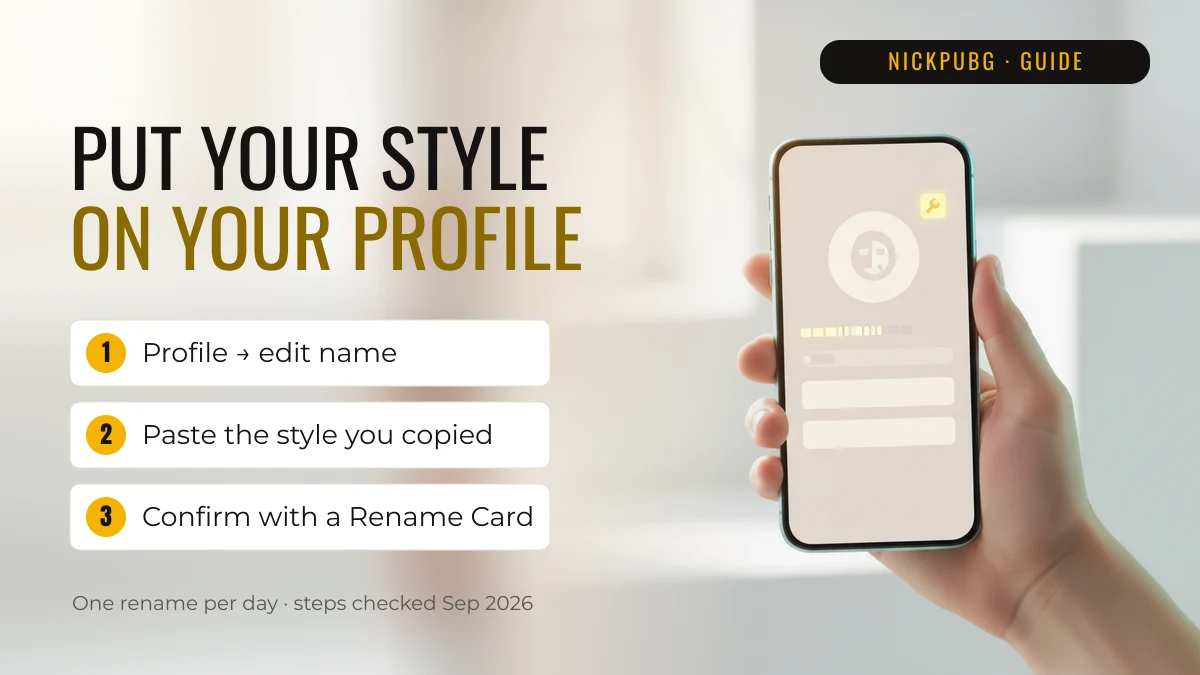
In practice: copy your style here, open your BGMI profile, tap the edit icon next to your name, paste and confirm with the card. If the game says the name is invalid, remove the symbol with the dashed border or switch to a small-caps version and try again.
Can a stylish BGMI name get you banned?
A fancy font or decoration on its own is not a violation. What gets actioned is what the name says. Battlegrounds Mobile India can penalise inappropriate nicknames and clan names for up to 90 days, three times the 30-day maximum used in the global PUBG Mobile. Keep names free of abuse, sexual words, hate and impersonation, whatever font they are in. No website, including this one, can promise a name is “unbannable”.
FAQ
Which name is best for a BGMI ID?
The best BGMI ID name is short (roughly 4 to 10 visible characters), easy to say out loud and decorated with a single frame, for example ꧁Clutch꧂ or ᴿᵘˢʰᵉʳ. Avoid long chains of symbols that eat into the character limit.
How do I create a BGMI name?
Type a word into the generator at the top of this page, choose a symbol frame and a style group, and tap copy. Then paste it into BGMI through your profile’s edit-name option and confirm with a Rename Card.
How do I generate a PUBG name?
The same generator works for PUBG Mobile, because both games use the same kind of Unicode name field. For styles and lists aimed at the global game, open the PUBG name style page.
Why does my BGMI name show empty boxes?
Empty boxes mean the phone viewing the name has no font for that character. The name may still be saved correctly. Characters outside the Basic Multilingual Plane, such as math script letters, cause this most often, so pick a basic-plane style if you want everyone to see it.
Do emoji work in BGMI names?
Usually not. Emoji are stored as surrogate pairs, which in-game name filters commonly reject. Keep emoji for squad chats, bios and posters.
Want styles for any word, plus trending names from other players? Use the NickPUBG stylish name generator. NickPUBG is an independent fan tool and is not affiliated with Krafton or Battlegrounds Mobile India.