 Nick
NickNickPUBG is a free stylish name generator for PUBG Mobile and Battlegrounds Mobile India (BGMI). Type a name into the tool above and it returns the same word in dozens of Unicode font styles and symbol frames, each with a one-tap copy button. Paste the one you like into your in-game Edit Name box. There is no sign-up and no limit.
What a PUBG name generator actually does
A PUBG name generator swaps each letter you type for a look-alike Unicode character, such as 𝐒 for S or ᴘ for p, and can add decorations like ꧁ ꧂ or ༒ around the result. The output is plain text, not an image, so it pastes into BGMI, PUBG Mobile and most other name fields like any other name.
On NickPUBG, the styles come from the site’s own font engine. When you press Generate, the word goes to our server, which builds every style and returns the full set, and also shows nicknames other players picked for the same word. The Privacy Policy explains exactly what is stored. The Trending and Most-copied lists on this page come from that same activity on the site. They are not a fixed list someone typed in.
Stylish name generator vs stylish name maker: is there a difference?
No. “Stylish name generator”, “stylish name maker” and “PUBG name generator” all describe the same thing: a tool that turns your text into fancy characters you can copy. The difference that matters is what the tool knows about the game. A general text-style site shows every Unicode trick. A game-focused one also tells you which of those tricks a mobile name field is likely to accept, which is the part that saves you a Rename Card.
| You want… | Best place on NickPUBG |
|---|---|
| Your own name in many styles | The generator at the top of this page |
| BGMI-ready styles and ideas | BGMI name styles to copy |
| Names with a global PUBG Mobile flavour (maps, roles, snipers) | PUBG name style page |
| A ready shortlist instead of building one | best BGMI names, including attitude names |
| A tag for your whole squad | clan, team and crew names |
| Just the decorations | PUBG and BGMI name symbols |
Stylish name fonts: what each style really is
Almost every “stylish name font” is borrowed from a Unicode block created for another purpose, usually mathematics, phonetics or East Asian typography. That origin decides two practical things. Some styles quietly turn back into plain letters when an app normalises text, and some take up twice the storage a name field expects.
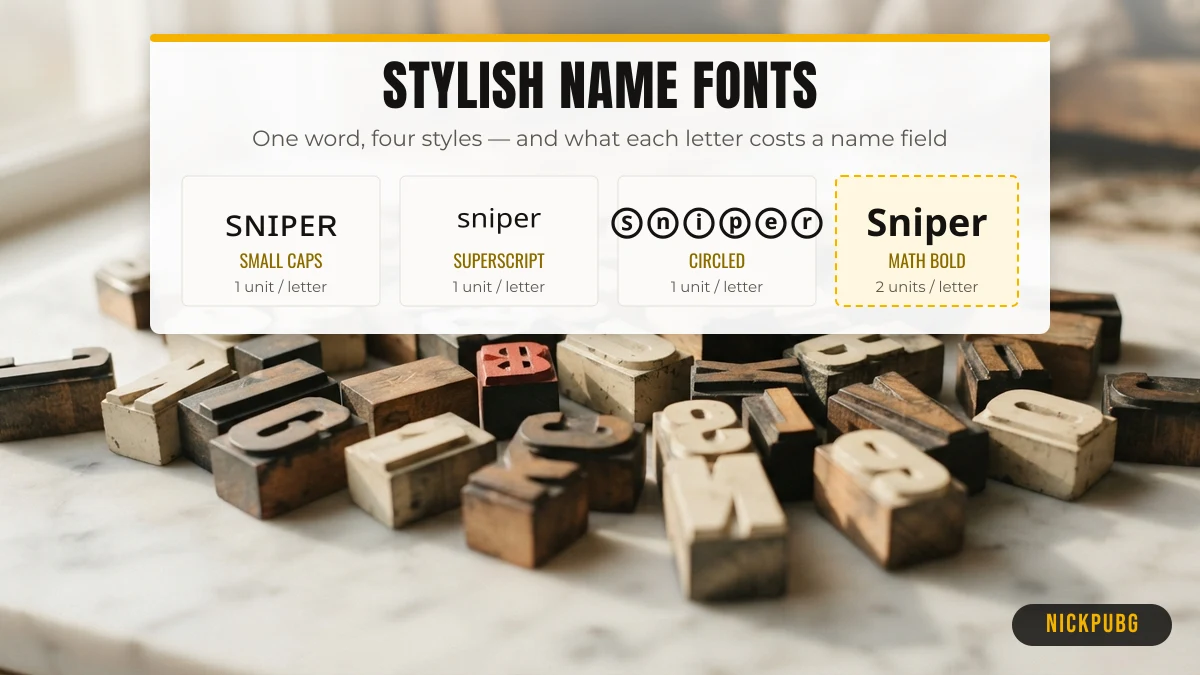
The table uses the word Sniper in each style. Character counts are Unicode code points. The UTF-16 column shows the storage units many mobile apps count against a length limit.
| Style | Sample | Unicode block | UTF-16 units | Survives NFKC? | Field-friendly? |
|---|---|---|---|---|---|
| Bold | 𝐒𝐧𝐢𝐩𝐞𝐫 | Mathematical Alphanumeric Symbols | 12 | No → Sniper | Risky (surrogate pairs) |
| Bold script | 𝓢𝓷𝓲𝓹𝓮𝓻 | Mathematical Alphanumeric Symbols | 12 | No → Sniper | Risky (surrogate pairs) |
| Fraktur (gothic) | 𝔖𝔫𝔦𝔭𝔢𝔯 | Mathematical Alphanumeric Symbols | 12 | No → Sniper | Risky (surrogate pairs) |
| Double-struck | 𝕊𝕟𝕚𝕡𝕖𝕣 | Mathematical Alphanumeric Symbols | 12 | No → Sniper | Risky (surrogate pairs) |
| Small caps | sɴɪᴘᴇʀ | Phonetic Extensions / IPA Extensions | 6 | Yes, unchanged | Usually accepted (BMP) |
| Superscript | ˢⁿⁱᵖᵉʳ | Spacing Modifier Letters / Phonetic Extensions | 6 | No → sniper | Usually accepted (BMP) |
| Fullwidth | Sniper | Halfwidth and Fullwidth Forms | 6 | No → Sniper | Usually accepted (BMP) |
| Circled | Ⓢⓝⓘⓟⓔⓡ | Enclosed Alphanumerics | 6 | No → Sniper | Usually accepted (BMP) |
| CJK look-alike | 丂几丨卩乇尺 | CJK Unified Ideographs | 6 | Yes, unchanged | Usually accepted (BMP), needs CJK font |
| Strike overlay | S̴n̴i̴p̴e̴r̴ | Basic Latin + Combining Diacritical Marks | 12 | Yes, unchanged | Risky (combining marks) |
Why NFKC matters for your name
NFKC is a Unicode normalisation form that apps use to compare or search text. It maps “compatibility” characters back to their ordinary letters. Mathematical bold 𝐒, fullwidth S and circled Ⓢ all carry that mapping, so NFKC turns them into a plain S. Small caps letters such as ᴘ have no compatibility mapping and stay as they are. In practice, an app that normalises names before display or search can flatten a bold name to plain text, while a small-caps name keeps its look. You can check any character’s mapping in the Unicode normalization standard (UAX #15).
BMP vs surrogate pairs: the reason some fonts get rejected
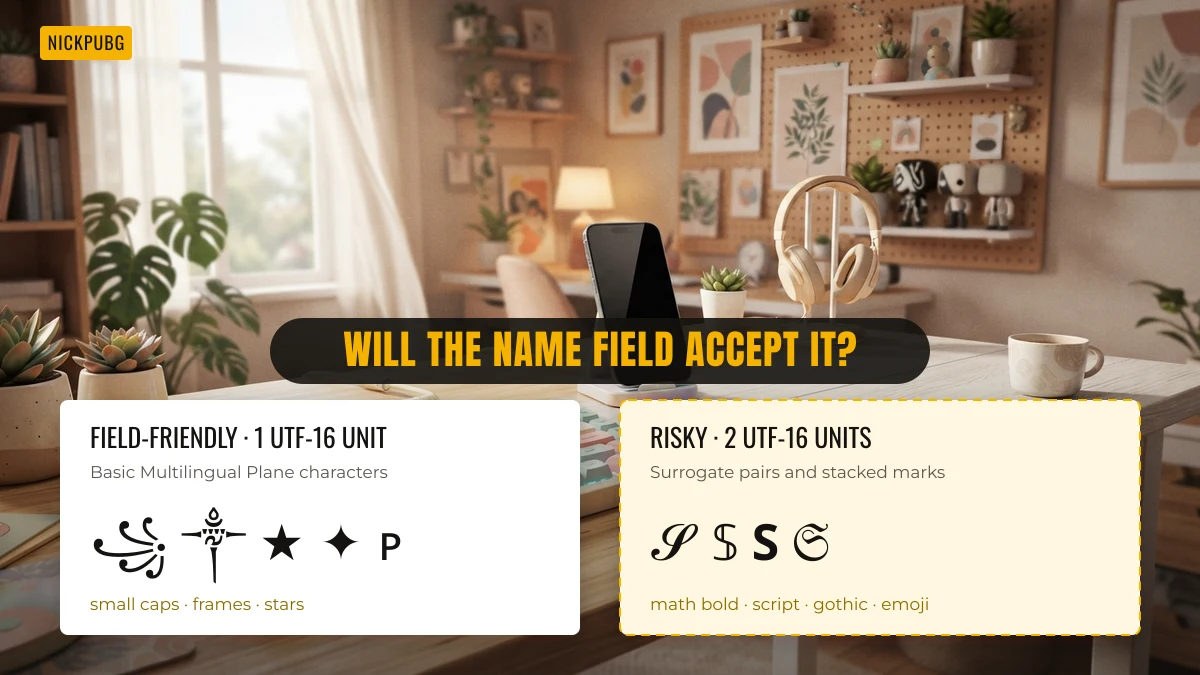
Characters in Unicode’s Basic Multilingual Plane (BMP), code points up to U+FFFF, use one UTF-16 unit. Everything above, including all the mathematical bold, script, gothic and double-struck letters and most emoji, uses two units called a surrogate pair. Mobile name fields that count or filter by UTF-16 units treat those styles as twice as long, or strip them. That is why a small-caps or fullwidth name often saves when a bold-script name of the same length does not. Decorations like ꧁ ꧂ ༒ ★ 亗 are BMP characters, which is why they are so common in BGMI names.
How to pick a name that saves on the first try
Pick a style that is short, readable in the kill feed and made mostly of BMP characters. Then check the in-game prompt before you confirm. A four-step routine:
- Start short. A 4–8 letter base word leaves room for one decoration on each side.
- Prefer BMP styles. Small caps, fullwidth, circled or CJK look-alikes, framed with ꧁꧂, ༒ or ★. Items with a dashed border across NickPUBG are the riskier ones.
- Count before you paste. Players report an in-game message reading “Name cannot exceed 14 characters”. PUBG Mobile and BGMI have not published an official limit, so treat 14 as a practical guide, not a rule. The BGMI name rules and character limit guide shows how styled letters are counted.
- Rename with the card. The steps, costs and the 90-day penalty risk for inappropriate names are in how to change your name in BGMI. If a symbol will not stick, this guide to putting symbols in a BGMI name explains what to swap.
Name ideas by style and player
If you would rather start from ideas than from a blank box, each collection below is a separate set of copy-ready names. None of them repeats another page’s list.
- Stylish names for boys: strong, short names like Rudra, Viper and Titan in game-friendly fonts.
- Stylish names for girls: queen, angel and cute styles with softer decorations.
- Hinglish BGMI names: desi words such as Baadshah, Bhaukaal and Toofan, written in Latin letters.
- BGMI clan and team names: matching tags for a whole squad.
Tested in the BGMI name box
We list a style as accepted only after someone has tried it in the BGMI name box. So far we have not tested any style, so every row below says not tested yet. The notes about Unicode in this page are reasons a style might be refused, not test results.
| Style group | Example | Tested in the BGMI name box |
|---|---|---|
| Small caps | ꜱɴɪᴘᴇʀ | Not tested yet |
| Symbol frames | ꧁Sniper꧂ | Not tested yet |
| Bold letters | 𝐒𝐧𝐢𝐩𝐞𝐫 | Not tested yet |
| Clan tag | 【SQD】 | Not tested yet |
Tell us what you find on the contact page with the app version and date.
BGMI name generator online (looking for bgminamegenerator com?)
If you searched for bgminamegenerator com or another BGMI name generator online, this page does the same job. It is not that site. This page is one: open it in any browser, type your name and copy a style. There is nothing to install and no sign-up. If a symbol shows as a box in the game, pick another style from the list.
FAQ
Is the NickPUBG stylish name generator free?
Yes. The generator, every name list and the copy buttons are free, with no account and no usage limit.
Do these stylish names work in BGMI?
BGMI and PUBG Mobile accept Unicode names, so most styles paste in. Styles made of BMP characters, such as small caps, fullwidth, ꧁꧂ and ༒, are the most reliable. Mathematical bold or script fonts and emoji use surrogate pairs and are more likely to be rejected.
What is the best font for a PUBG name?
For a name that both looks different and saves reliably, small caps (sɴɪᴘᴇʀ) is the safest choice. It stays one UTF-16 unit per letter and survives NFKC normalisation. Double-struck and bold script look bolder but cost two units per letter.
Can a stylish name get my account banned?
A font style alone is personalisation. Game rules target what a name says, not how it looks. BGMI can penalise inappropriate names for up to 90 days, so avoid offensive or impersonating words. No name is ever “unbannable”.
Who runs NickPUBG?
The NickPUBG Team, an independent fan project not affiliated with PUBG, BGMI or Krafton. See About NickPUBG and how pages are checked in the Editorial Policy.